TCL Google TV Remote

Your TCL TV.
In your pocket.

Most TCL TVs run Google TV or Android TV — and Zap controls them straight from your iPhone over Wi-Fi, with every button you need.

Download on theApp StoreFree · no account
Zap

How it works

A full TCL TV remote on your iPhone

Google TV native

Zap connects to TCL Google TV and Android TV models over your network — instant, no cables.

Every button

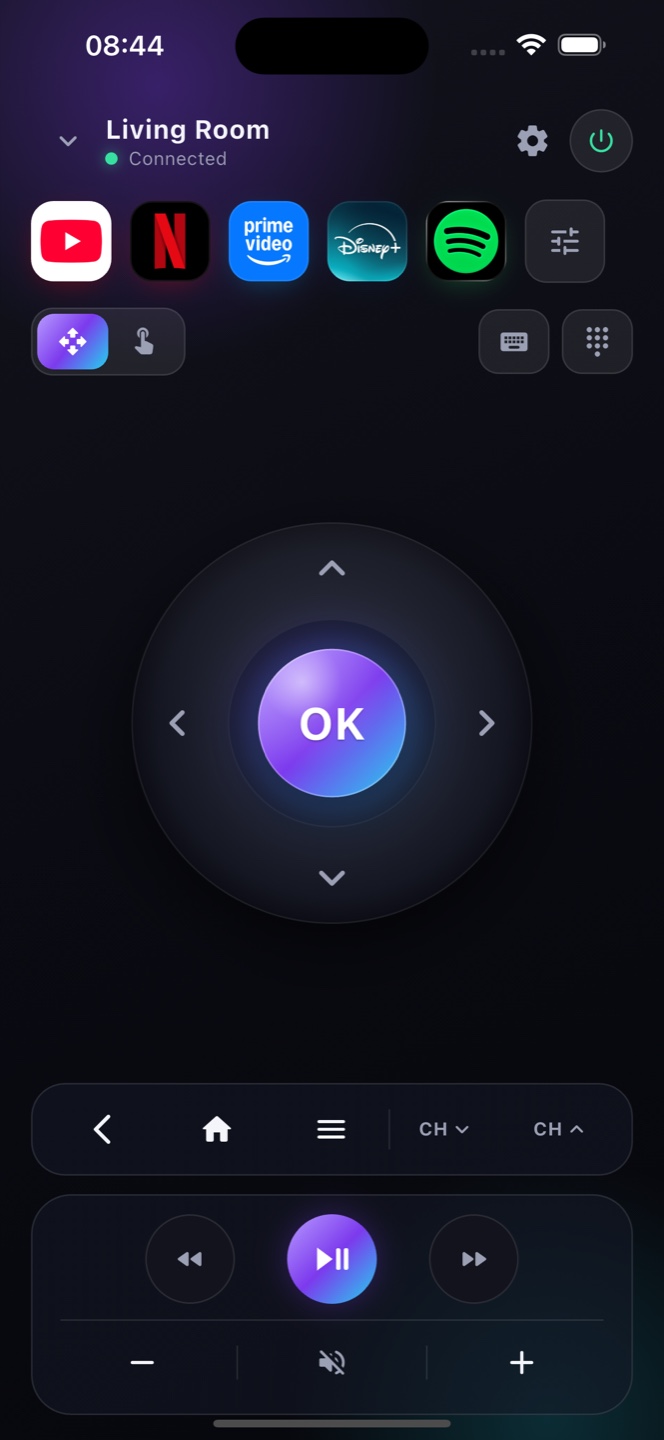
D-pad, volume, power, playback and a keyboard — a complete TCL remote replacement on your phone.

Type to search

Search your TCL's apps with your phone keyboard instead of tapping arrows one letter at a time.

Ready?

Turn your phone into the remote.

Free on the App Store. Point, tap, done.

Download on theApp Store

TCL Google TV and Android TV — how to check yours

TCL sells its TVs on more than one system, and that decides which remote app works. TCL sets running Google TV or Android TV pair with Zap over Wi‑Fi — you’ll see the Google TV or Android TV home screen and a Google Assistant button on the stock remote. In some regions TCL also sells Roku TV models, which run Roku’s own system and use the separate Roku app. To check yours, open Settings and look for “Android TV” or “Google TV,” or watch for the Google logo at start‑up. If it’s a Google TV or Android TV TCL, Zap gives you a full remote — D‑pad, keyboard, voice search and app launcher — in seconds, with nothing to install on the TV.
Which TCL TVs work

Google TV & Android TV models
TCL sets running Google TV or Android TV pair with Zap over Wi‑Fi. (TCL Roku TV models use Roku — Zap supports those on the Roku side too.)
Full TCL remote
D‑pad, volume, input/HDMI, playback, keyboard and voice search — a complete replacement for the TCL remote, right on your iPhone.

FAQ

Questions, answered

Does Zap work with TCL TVs?
Yes, for TCL models running Google TV or Android TV. Note: TCL Roku TV models use a different system and aren't supported yet.
Is it free?
Yes. The full TCL remote is free, with ads. Premium removes ads and adds extras.
Do I need my TCL remote to set it up?
No. Zap finds your TCL TV over Wi-Fi automatically — no code from the original remote needed.
Does Zap work with TCL Google TV?
Yes. TCL Google TV and Android TV models connect to Zap over your Wi‑Fi — no physical remote needed.
I lost my TCL remote — can I still use the TV?
Yes, while the TV is on and on Wi‑Fi. Enable Network Standby to let Zap power a fully‑off TCL back on.
Does Zap work with TCL TVs?
Yes, with TCL TVs running Google TV or Android TV. TCL’s Roku TV models use Roku’s own system, so they need the separate Roku remote app instead.
How do I know if my TCL is a Google TV or a Roku TV?
Open Settings, or watch the start‑up screen: a Google TV or Android TV home screen (with a Google Assistant button on the remote) works with Zap, while a Roku home screen with purple tiles does not.