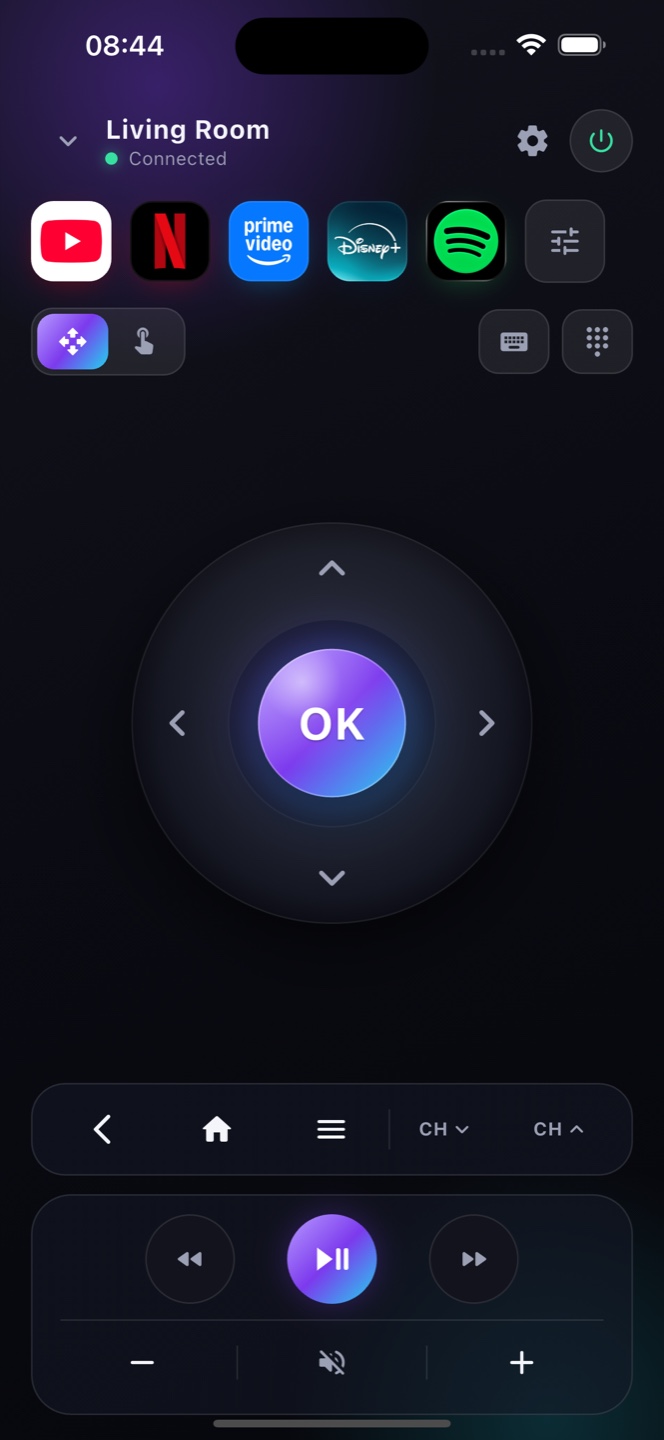
Android TV Remote

Any Android TV.
One remote on your iPhone.

Zap is a free Android TV remote for your iPhone. Connect over Wi-Fi and control any Android TV — Sony, TCL, Hisense, Philips, Xiaomi and more — with a full D-pad, keyboard and playback.

Download on theApp StoreFree · no account
Zap

How it works

A complete Android TV remote

Works with every Android TV

Sony, TCL, Hisense, Philips, Xiaomi, NVIDIA Shield — if it runs Android TV, Zap controls it over Wi-Fi.

No pairing dongle

Connects over your network in seconds — no IR, no cables, no line of sight.

Keyboard + touchpad

Type to search and swipe like a trackpad — far faster than the physical Android TV remote.

Ready?

Turn your phone into the remote.

Free on the App Store. Point, tap, done.

Download on theApp Store

Android TV and Google TV — one remote for both

Google TV is simply the newer interface Google built on top of Android TV, so under the hood they’re the same platform — and Zap speaks to both. Whether your device shows the classic Android TV home screen or the newer Google TV layout, it pairs with your phone over Wi‑Fi the same way. That covers Sony, TCL, Philips and Xiaomi Android TVs, the NVIDIA Shield, Mi Box, and Chromecast with Google TV. You get a full on‑screen remote — D‑pad, play/pause, volume, a real keyboard and voice search — without hunting for the plastic remote or installing anything on the TV.

Works with your Android TV

Which devices
Any TV or box running Android TV or Google TV — Sony, TCL, Philips, Hisense, Xiaomi/Mi Box, NVIDIA Shield, Chromecast with Google TV and more.
Connect in seconds
Open Zap on your iPhone on the same Wi‑Fi. It discovers your Android TV automatically and pairs with the on‑screen code — once.
A full remote
D‑pad, OK, back, home, volume, playback, apps, keyboard and voice search — everything the plastic remote does, on your phone.

FAQ

Questions, answered

Is Zap a free Android TV remote?
Yes. The full Android TV remote is free, with ads. Premium removes ads and adds extras.
Which Android TV devices work?
Any TV or box running Android TV — Sony, TCL, Hisense, Philips, Xiaomi, NVIDIA Shield and more, on the same Wi-Fi.
Do I need my Android TV remote to set up?
No. Zap discovers your Android TV over Wi-Fi automatically — no code from the original remote needed.
Does Zap work with all Android TV boxes?
Zap works with Android TV and Google TV devices on your Wi‑Fi, including popular boxes like NVIDIA Shield, Mi Box and Chromecast with Google TV.
Do I need to install anything on the TV?
No. Android TV already speaks the remote protocol Zap uses — just connect over Wi‑Fi, no TV‑side app required.
Is the Android TV remote free?
Yes. The full Android TV remote is free (with ads). Premium removes ads and adds app shortcuts, themes and more.
Is Android TV the same as Google TV?
Almost — Google TV is a newer interface running on top of Android TV, so they share the same system underneath. Zap works with both, so you don’t need to know which one your device uses.
Can I use my phone as an Android TV remote without the original?
Yes. As long as the TV is on and on the same Wi‑Fi, Zap fully replaces a lost or broken Android TV remote — including a keyboard and voice search the plastic remote may not have.