Chromecast Remote

Lost your Chromecast remote?
Use your phone.

The Chromecast with Google TV remote is tiny and easy to lose. Zap replaces it — a full remote on your iPhone, over Wi-Fi, in seconds.

Download on theApp StoreFree · no account
Zap

How it works

A replacement Chromecast remote on your phone

Full replacement

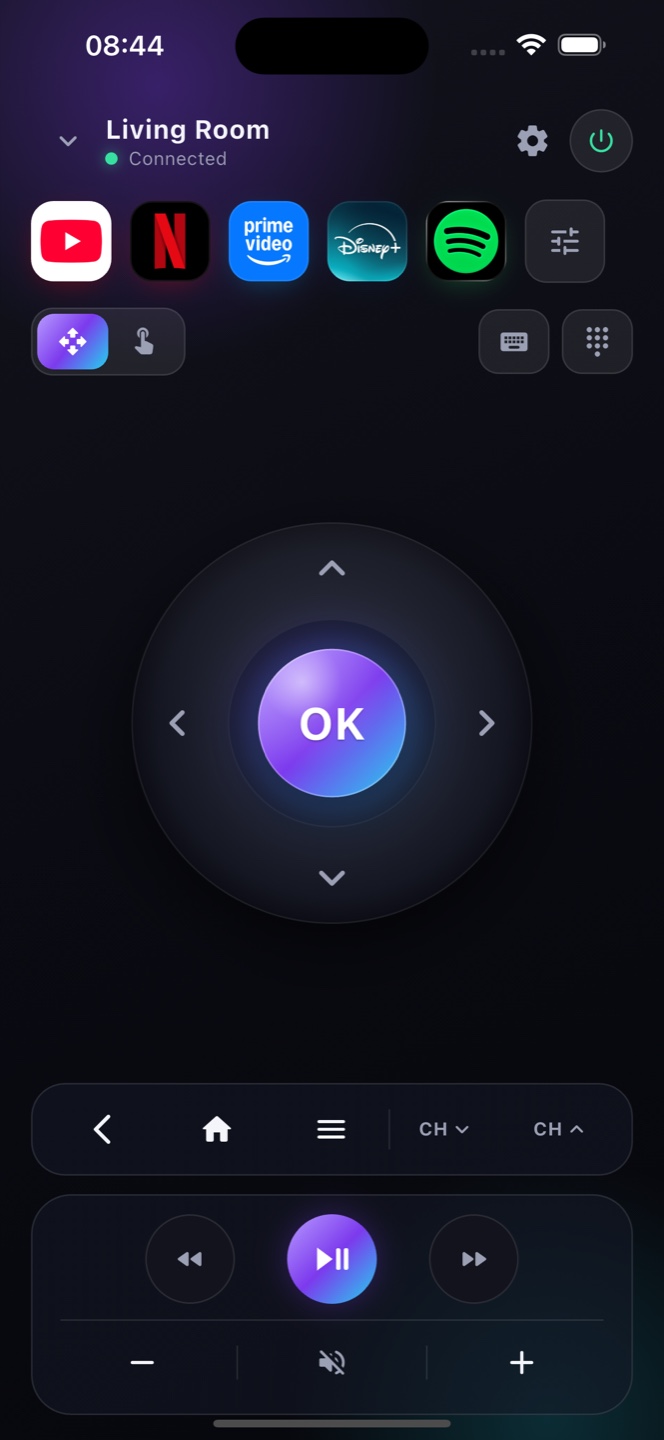
D-pad, select, back, home, volume and playback — every Chromecast remote button, on your phone.

No new remote to buy

Instead of ordering a replacement, just install Zap and control your Chromecast with Google TV right away.

Keyboard built in

Type to search on Google TV with your phone keyboard — far faster than the little clicker.

Ready?

Turn your phone into the remote.

Free on the App Store. Point, tap, done.

Download on theApp Store

Lost your Chromecast remote? Your phone is the replacement

The Chromecast with Google TV comes with a small voice remote that slips down the sofa all too easily — and unlike a TV, the dongle has no buttons of its own. Zap fixes that: it pairs with your Chromecast with Google TV over Wi‑Fi and puts a full remote on your phone, with the D‑pad, back, home, volume, a keyboard and voice search. Note that the original Chromecast (the older “cast‑only” dongle without the Google TV interface and remote) has nothing to control on‑device, so Zap is built for the Chromecast with Google TV — the model that runs the Google TV home screen. Nothing to install on the dongle, and you’re controlling it in seconds.

Which Chromecast works

Chromecast with Google TV
Zap controls Chromecast with Google TV (the model with its own remote and interface) over Wi‑Fi — D‑pad, apps, keyboard and voice.
A full replacement remote
Navigate the Google TV interface, open YouTube and Netflix, type and search by voice, and adjust playback — all from your iPhone.

FAQ

Questions, answered

Can Zap replace my Chromecast with Google TV remote?
Yes. Zap connects to Chromecast with Google TV over Wi-Fi and gives you every button, so you don't need the physical remote.
Does it work if I never set up the remote?
Yes, as long as your Chromecast is set up and on the same Wi-Fi as your iPhone.
Is Zap free?
Yes, the full remote is free with ads; Premium removes them.
Does Zap work with Chromecast with Google TV?
Yes. Chromecast with Google TV pairs with Zap over your Wi‑Fi and works as a full replacement for its remote.
Lost my Chromecast remote — what now?
Use Zap: on the same Wi‑Fi it controls Chromecast with Google TV completely, so a lost or broken remote is no problem.
Can Zap replace a lost Chromecast remote?
Yes. Zap is a full replacement remote for the Chromecast with Google TV, pairing over Wi‑Fi with a D‑pad, keyboard and voice search — no need for the little plastic remote.
Does Zap work with all Chromecast devices?
Zap works with the Chromecast with Google TV, which runs the Google TV interface. The older cast‑only Chromecast has no on‑device remote to replace, so it isn’t the target.