Roku Remote

Your Roku TV.
Controlled by your phone.

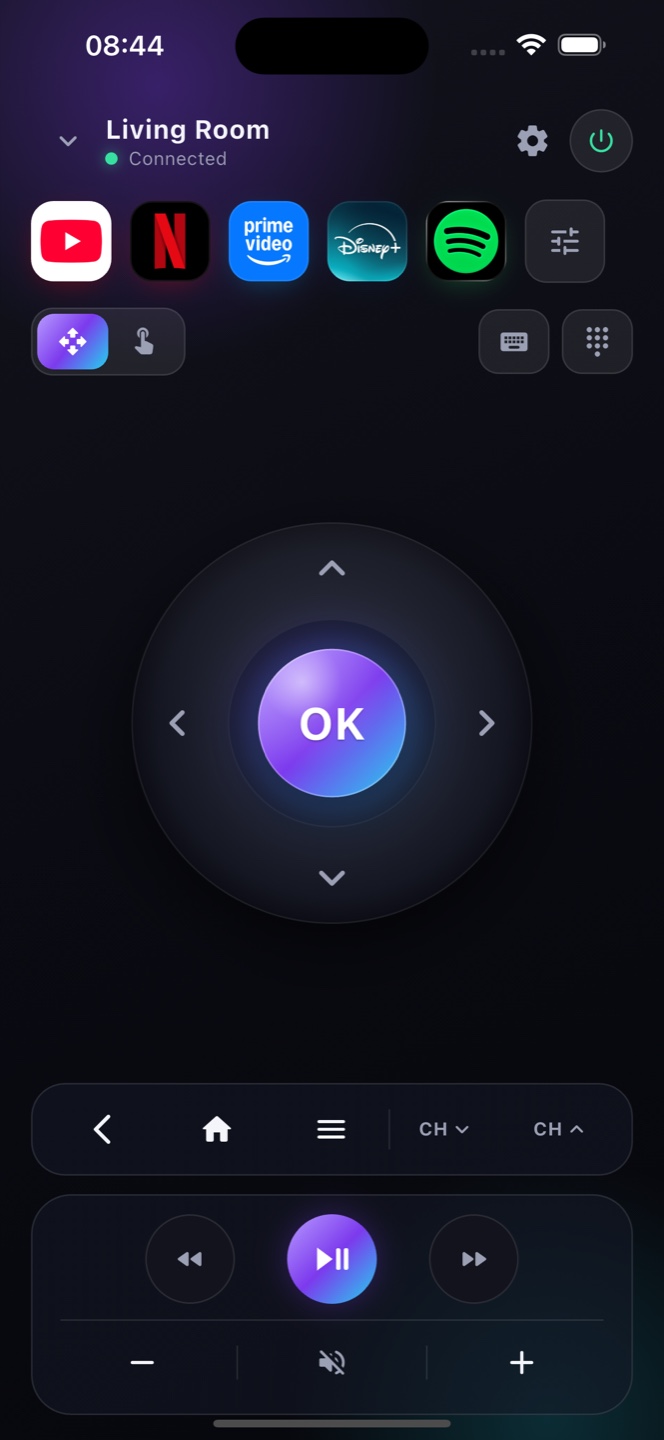
Roku TVs run Roku OS — and Zap speaks their language. Turn your iPhone into a full Roku TV remote over Wi-Fi. No dongle, no lost remote.

Download on theApp StoreFree · no account
Zap

How it works

A full Roku TV remote on your iPhone

Made for Roku

Roku runs Roku OS, so Zap connects natively over your Wi-Fi — D-pad, volume, power and playback.

No line of sight

It works over the network, so you can control your Roku TV from anywhere in the room, not just pointing at it.

Search in seconds

Use your iPhone keyboard to type into Roku's Roku OS search — no more hunting letters with a D-pad.

Ready?

Turn your phone into the remote.

Free on the App Store. Point, tap, done.

Download on theApp Store

Works with every Roku OS Roku

Roku has built its Roku TVs on Roku OS since 2011 and on Roku OS in its newer models, so almost any smart Roku pairs with Zap over Wi‑Fi. You don’t need the model number — if your Roku shows the Roku OS home screen, Zap connects to it and gives you a full remote: D‑pad, playback, volume, a keyboard and voice search. It’s ideal when the slim Roku remote goes missing between the cushions, and it adds a proper on‑screen keyboard so you can type into YouTube or Netflix without nudging one letter at a time.

Which Roku TVs work

Supported models
Roku TVs from 2011 onwards run Roku OS and work with Zap over Wi‑Fi. Older non‑Android Roku sets aren't supported.
Turn on network control
On some Roku sets, enable network/remote control under Settings → Network or Remote & Accessories so your phone can pair.
Full Roku remote
D‑pad, volume, Roku inputs/HDMI, playback, keyboard and voice search — a complete replacement for the Roku remote.

FAQ

Questions, answered

Does Zap work with all Roku TVs?
Zap works with any Roku running Roku OS — that’s almost every smart Roku from 2011 onward. The TV and your phone just need to be on the same Wi‑Fi.
Do I still need my Roku remote?
No. Zap gives you every button — D-pad, OK, back, home, volume, power and playback — so your phone fully replaces a lost or broken Roku remote.
Which Roku TVs are supported?
Any Roku running Roku OS (most models from 2011 on). Older non-Android Roku sets aren't supported.
My Roku remote is lost — can I still use the TV?
Yes, as long as the TV is on and on Wi‑Fi. To power a fully‑off Roku on, enable Network Standby in its settings so Zap can wake it.
Do I need the Roku remote to start?
Only for the very first TV setup. After that, Zap replaces the Roku remote day to day.
Can Zap replace a lost Roku TV remote?
Yes. As long as the Roku is on and on Wi‑Fi, Zap is a full replacement for a lost or broken Roku remote, with a keyboard and voice search built in.
Works with your TV

A remote for your TV

Use your phone as a TV remote. · No Roku OS remote? Control it with your phone. · Lost your TV remote? Your phone is the fix.